
Excel version
Download an Excel version of this calculator, including Excel call center functions. Lifetime upgrades and support.
Trusted by the world’s greatest companies.


Call center calculator instructions
Our original call center calculator, powered by the Erlang B and Erlang C traffic models, helps you work out how many agents you need in your call center and how many trunks (lines) it needs to handle those calls.
You can analyse up to five hours. Enter the number of calls received during each hour in the boxes of the Calls column. As you click out of each box, three figures will be calculated and displayed in that box’s row:
- Agents: an estimate of the number of staff required to handle calls during that hour
- Delay: this is the average delay, in seconds, that callers will experience. It is also known as ASA (Average Speed of Answer).
- Lines: the number of lines that are needed to handle the incoming calls during the hour under analysis.
The lower section shows the service level targets and parameters the calculations use. If you changethese, press the Calculate button to recalculate the results in the top section. The values you can alter are:
- Duration: the average duration of the incoming calls after they have been answered, in seconds.
- Wrap-up time: the time an agent is unavailable to handle another incoming call after the previous call has been completed, usually to complete call-related administrative tasks.
- Service level: the performance target used to model the call center. It is specified in terms of the percentage of calls that are answered within a specified time.
- Blocking target: the ratio of calls that fail through insufficient lines (e.g. 0.01 mean 1 call blocked per 100 calls attempted). This target is by the call center calculator for the Lines calculation.
Excel version
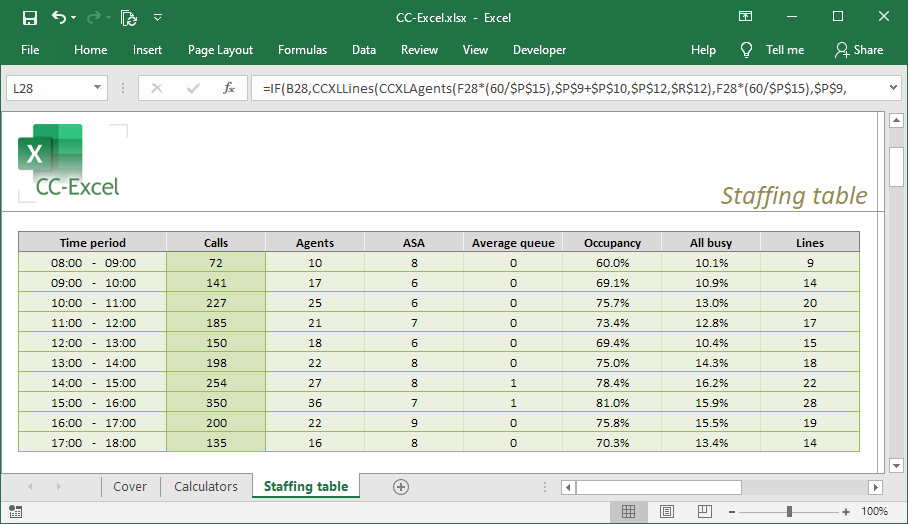
CC-Excel introduces nine Erlang call center functions to Excel for estimating call handling performance. You’ll be able to build your own Excel worksheets or use the staffing table we provide.
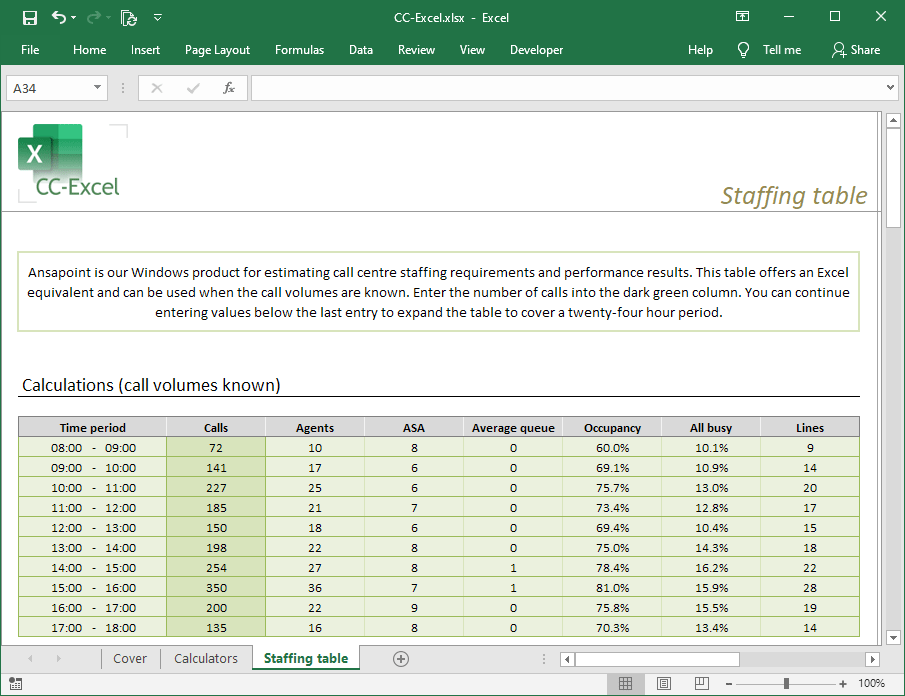
This staffing table is included with CC-Excel in an example workbook. It is a fully working call center staffing tool that supports 15, 30 and 60 minute intervals. You can use it as-is or build on it to design your own worksheets that can be as simple or as complicated as you have the time and imagination to develop!
Free upgrades for life on a single computer for a once-only charge of just $99.
Windows version
Ansapoint is a Windows version of the call centre calculator on this page. It helps you work out how many agents and lines you need at a call centre in order to answer your incoming calls and meet your service targets. Ansapoint can work with 15, 30 and 60 minute intervals and allows agent availability factors to be defined so that your calculations take staff breaks into account. You can also perform reverse calculations to estimate the volume of calls that your existing agents can reliably handle.
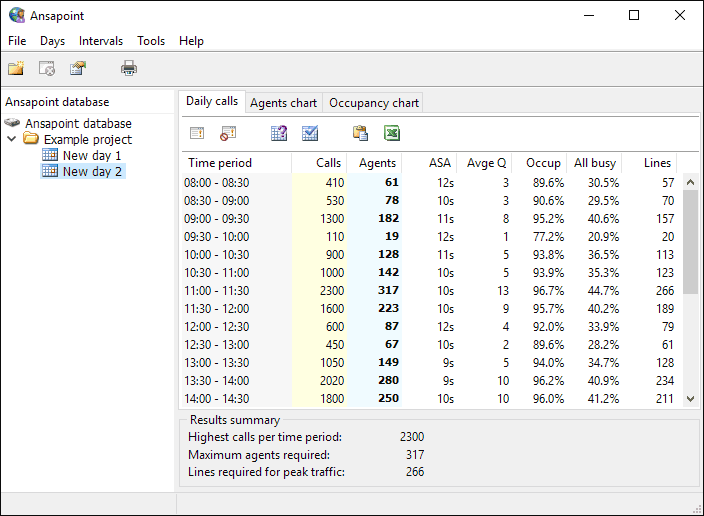
Ansapoint lets you to import call volume data from Microsoft Excel worksheets or text files. Full charting and printed reports are also offered, making Ansapoint a versatile and flexible forecasting tool.
“This software package is a wonderful tool and a must for any call center or help desk.”
Owen Reese, Fleet Mortgage Group
Free upgrades for life on a single computer for a once-only charge of just $149.