|
Navigating the calculators |

  
|
|
Navigating the calculators |
|
The main calculator window has four tabs along the top, each representing a calculator included with the programme: Erlang B, Extended Erlang B, Erlang C and Call Minutes. Select the required tab representing the calculator you wish to work with.
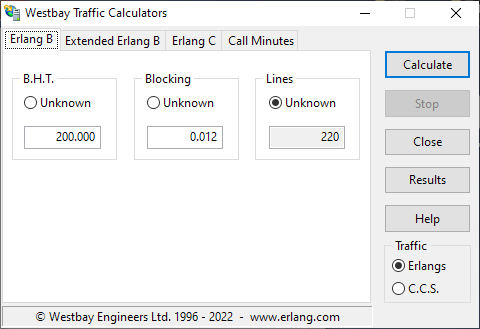
Westbay Traffic Calculators main window
Clicking on a tab bring the workspace for that calculator into view.
There are five buttons on the right side of the main window:
| • | Calculate This button starts a calculation. |
| • | Stop If a lengthy calculation is in progress, this button can be used to cancel the calculation. |
| • | Close Pressing this button closed the application. |
| • | Results This button opens a separate window from which the results for the last week can be viewed and printed. |
| • | Help Opens this help system. |
Below the buttons is an area called Traffic. You can use this to select the traffic units that the calculator will use (Erlangs or C.C.S.).
See also