
Pro version
Download our high capacity Windows versions of this and our other Erlang calculators, with lifetime upgrades and support.
Trusted by the world’s greatest companies.


Telecom calculator instructions
This telecom calculator estimates the number of voice lines you need to handle calls on your system. For all calculations, you must enter these parameters into the top two boxes:
- Blocking: the ratio of calls that fail through insufficient lines (e.g. 0.03 mean 3 calls blocked per 100 calls attempted)
- Busy hour factor: the percentage of daily minutes offered during the busiest hour of the day. 17% (the default) is a reasonable figure for a business operating an 8 hour working day, but a higher figure might be more appropriate if your business operates a shorter working day or if frequent calls are being made to a different time zone.
Enter the number of minutes of calls that your system needs to handle each day into the Minutes per day box. When you press Calculate, the number of lines your system needs will be shown in the Lines box. You can also perform these calculations reverse by clicking on the button next to Minutes per day. Then, by entering the number of lines connected to your telephone switch, you can estimate the minutes it can handle daily.
An an example, if your system switches 12,000 minutes per day onto a group of lines and you accept that 1% (0.01) of those calls may be blocked, enter those figures into the calculator. When you press the Calculate button, an estimate of the number of lines required in that group will be displayed: 46. This assumes that 17% of those daily calls will be offered during the busiest hour of the day, but you can change that figure if you have a better approximation. To make a safe judgement of the number of lines you need, traffic figures over a significant time period are required. One day’s traffic figure is not enough.
Windows version
Westbay Traffic Calculators is a Windows package of four calculators including this telecom calculator. We offer free upgrades and installation support for the lifetime of the product. The calculator supports up to thirty million minutes per day and can display and print the results of the previous week.
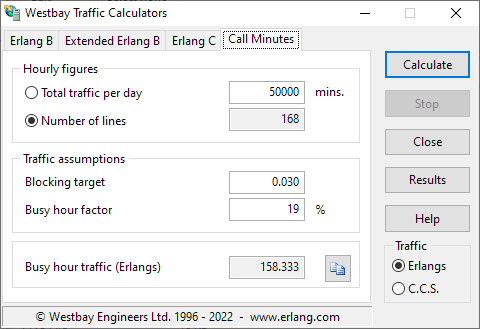
Our best-selling Windows software application comprises four calculators for Erlang B and Erlang C. Use them to dimension trunk groups and estimate call center performance.
Free upgrades for life on a single computer for a once-only charge of just $99.